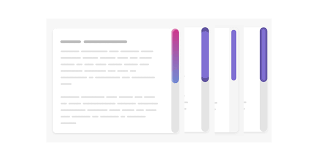
CSS
// reset for imgimg { max-width: 100%; height: auto; vertical-align: bottom;}.line { display: flex; justify-content: space-between; max-width: 768px; margin: 20px auto;}.left { flex: 0 1 calc(50% - 10px); max-width: calc(50% - 10px); .pic-holder { height: 100%; } .pic { width: 100%; height: 100%; object-fit: cover; }}.right { flex: 0 1 calc(50% - 10px); max-width: calc(50% - 10px); display: flex; flex-direction: column; justify-content: space-between; .item { padding: 40px 20px; text-align: center; background-color: #ccc; margin-bottom: 20px; &:last-child { margin-bottom: 0; } }} |
HTML
<div class=»line»>
<div class=»left»>
<div class=»pic-holder»>
<img src=»https://denis-creative.com/wp-content/uploads/2020/04/video-poster.jpg» class=»pic» alt=»»>
</div>
</div>
<div class=»right»>
<div class=»item»>Item</div>
<div class=»item»>Item</div>
<div class=»item»>Item</div>
</div>
</div>